
Julie Lavoie, a 2D and 3D motion designer in Quebec City, is an expert imagined for this guide: she does not correspond to any real person. In this interview she explains how to choose between 2D and 3D, how an animated sequence goes from brief to delivery, what accessibility changes and what artificial intelligence alters in the trade. Her answers stay qualitative; any figures come from the official pages cited.
From brief to animatic: how an animated sequence comes to life
To place this topic in the whole production chain, start with the pillar page Animation, shooting and post-production, which gathers the articles of this family.
When a client calls you about an animation, what do you ask first?
I ask what the viewer should understand, or do, at the end. Not the style, not the colours: the outcome. An animation almost always explains something or makes people want something. If the brief fits in one clear sentence, everything else follows. If it takes three paragraphs to explain, the subject is not yet ripe enough to animate.
I also ask where the video will be seen: a phone screen on the bus, a big screen in a meeting room, a homepage with the sound off. Those details change the size of the text, the speed of the movement and the length. I also ask which language or languages will be used, because French text can be longer than its English equivalent and needs room on screen. A version in both official languages is best planned from the start.
From brief to image, a sequence goes through the script, then the animatic. The script fixes what is said and in what order. The animatic is a very rough timed version: still images, sometimes plain shapes, laid over the voice and a working music track. You watch it, cut it, lengthen it. It is the cheapest stage at which to be wrong, so it is the best one for making mistakes.
I often tell clients that the animatic is the moment when everything can change without pain. After that, every change of pacing means redoing finished work. Clients who agree to watch it several times, with the sound on, avoid most surprises at rendering. One guiding idea has not changed: start with a simple story, approved in writing, then animate. The reverse order is expensive.
2D or 3D: how to choose for a given project
Concretely, how do you decide between 2D and 3D?
I start from the subject. If I need to show an idea, a journey, a data flow, a change in behaviour, 2D is often clearer: you simplify, you highlight, you remove the superfluous. If I need to show an object, a machine, a space that people move through, 3D lets me go around it, enlarge a detail, change angle without redrawing.
Then comes style. Flat 2D with an illustrated look does not have the same tone as a rendering in volume with material and light. Finally, I look at the budget and at how many revisions the client expects. Changing a drawn character and changing a 3D model are not the same job, and a lot depends on how the project was built in the first place.
Can you sum up the difference in a table?
Yes, in broad strokes. These are tendencies, not laws: every project qualifies them.
| Criterion | 2D animation | 3D animation |
|---|---|---|
| Style | Flat colour, illustration, graphic shapes, animated text | Volumes, materials, light, virtual camera |
| Relative timelines | Often shorter when the drawing stays simple | Often longer: modelling, set-up, rendering |
| Revisions | Easy on pacing and text; heavier if all the drawing changes | Easy on camera and light once the set is built; heavier if a model must be redone |
| Typical uses | Explaining a process, an abstract idea, animated infographics | A product in volume, a machine, a space, a tour of a place |
Mixing the two is also very common. A 3D set with drawn characters, or 2D graphic elements placed on a 3D scene: the blend is routine. What matters is that the style stays consistent from one shot to the next. Audiences forgive a sequence that changes visual language for no reason much less readily than you might think.
Storyboard and art direction
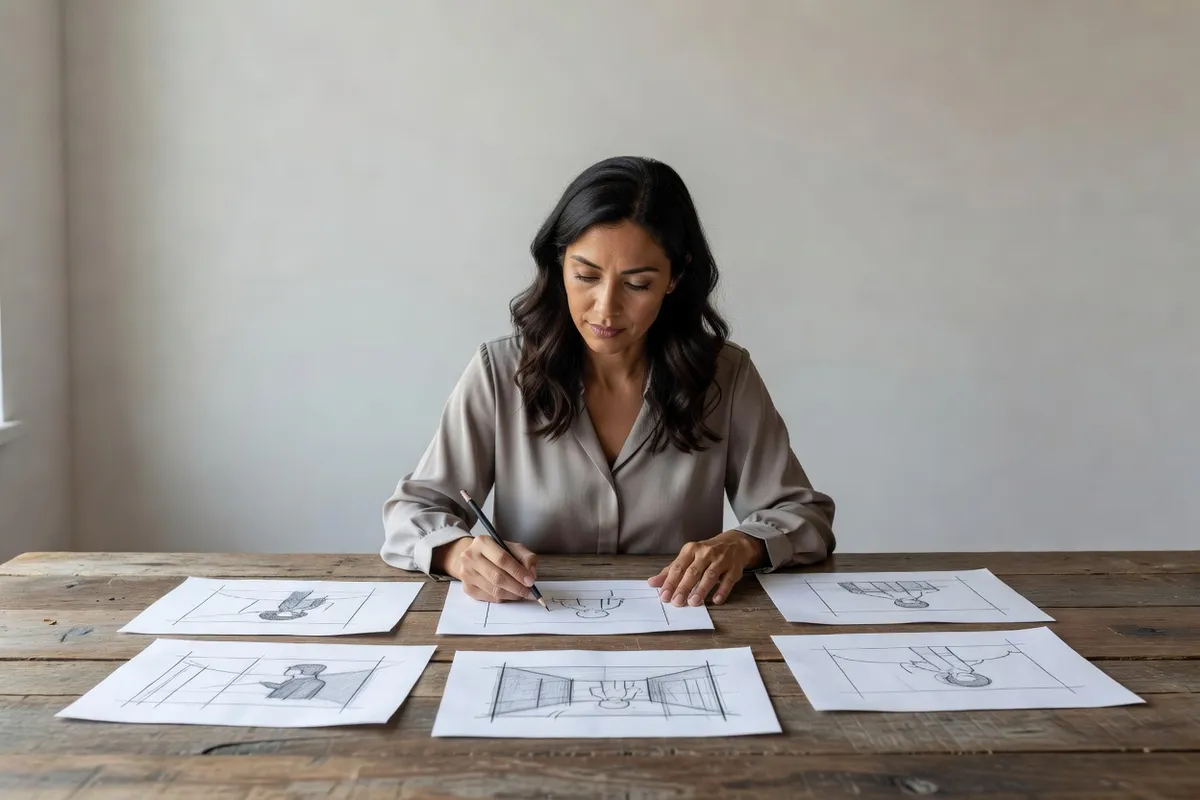
The animatic gives time; the storyboard gives the image. Each panel shows the composition of a shot: where the subject is, what the camera does, what enters or leaves the frame. It is also the document the client understands fastest. You can see at once whether a shot is overloaded or a transition does not work.
A good storyboard also shows the transitions: how you move from one shot to the next, what stays on screen and what disappears. That is where many pacing problems get settled, before they become expensive. I keep the storyboard modest. It does not need to be beautiful; it needs to be readable. When it is too polished, clients hesitate to ask for changes, which is a pity, because this is precisely the stage at which changes cost the least.
What do you mean by art direction?
It is the set of visual decisions that give an animation its identity: the palette, the shape of the characters, the treatment of light, the typography, the texture. You fix it on a few key images, sometimes called style frames, before launching the whole production. If the art direction is well set, ten people can work on the sequence and the result looks signed by a single hand.
It also serves as a common language with the client: instead of saying "more dynamic" or "warmer", you point to a specific image on the style board, which avoids many misunderstandings. And I make sure it respects the client's existing image: the colours of the visual identity, the fonts, the tone. A successful animation looks like the organization that commissioned it, not like whatever the animator felt like drawing that month.
An animation team: who does what
Who do you find on an animation team?
Size varies enormously. On a small project, one person can do everything: the storyboard, the design, the animation, the editing. On a more ambitious project, you distinguish several roles: an art director, illustrators or modellers, animators, someone for lighting and rendering, an editor, a sound designer. There is also a producer, who holds the schedule and the link with the client.
A small team is not a flaw. It can even simplify communication: fewer go-betweens, less information lost. But you must then accept that the schedule depends on very few people. I advise you to ask, when you receive a proposal, who will do what. A quote that does not spell out the roles often hides choices you discover too late.
For public reference points, the National Film Board of Canada states, on its page About the NFB, that it produces or co-produces more than fifty works a year, including documentaries and animated films, and has produced more than 14,000 works, 7,000 of which are freely available online. The same organization presents "Portrait d'un studio d'animation" as an anthology of the history of the Animation Studio of its French Program, with nearly 60 excerpts drawn from the work of about forty filmmakers.
I should say that these pages tell a history and describe a catalogue. They do not describe current production methods, and I do not use them to estimate timelines or costs. For that, I rely on my project experience and on each brief.
Rendering, revisions and file delivery
Rendering is the moment when the computer calculates the final images. In 2D it is often quick. In 3D it can take a long time, especially with a lot of light or material. For that reason, you avoid launching a full render before approving the shots in a lighter test version. A final render that must be redone for an avoidable detail wastes everyone's time.
How do you organize revisions so they do not drag on?
For revisions, I work in rounds, with one person who gathers all the comments. The classic trap: five people each send their remarks, some contradict one another, and the motion designer ends up arbitrating in the client's place. So I ask for a single consolidated list per round, and I confirm it before starting any corrections.
I also keep a record of each version delivered, with its date, so the client always knows which version is under discussion. And I specify in the proposal what a round covers. A colour change, fine. A change to the script after the animation is done is a new project, and it is better to say so at the start than to explain it at the end.
At delivery, the client should receive the final file in the formats agreed for the places where the video will be shown, a version without burned-in text when it will be used for translation or adaptation, the captions as a separate file, and the transcript. The client should also know what belongs to them. The Copyright Act requires an assignment to be in writing and signed, so the contract should state plainly who may reuse the elements, fonts and illustrations included, and under what conditions. I am not a lawyer; for a specific case, consult one.
For the funding side, the same caution applies. Revenu Québec's page on the Tax Credit for Québec Film Productions refers to expenditures for "computer-generated special effects and animation": where applicable, the corporation must attach the breakdown set by SODEC and provide a table showing these expenses separately. That is a documentation requirement, nothing more. As far as I know, no official page says what makes an animation project eligible: you ask the Canadian Audio-Visual Certification Office, SODEC or Revenu Québec.

Accessible animation: audio description and captions
Accessibility matters because an animation is a medium that moves through time, and some people cannot see it, or cannot hear it. According to the Government of Canada's Digital Accessibility Toolkit, WCAG 2.1 refers to audio-video recordings as "time-based media", and their accessibility depends on four factors: transcript, captioning, audio description and keyboard access. That page is written first for the government's own learning products; I take it as a useful public reference, not as a rule that applies to every private company.
What does audio description mean in practice?
It is a sound track that describes what you see when the image carries information the voice does not state: a gesture, a change of set, a piece of on-screen text. The same page ties audio description to WCAG 1.2.3 (level A: transcript with added visual descriptions) and WCAG 1.2.5 (level AA: a separate audio track describing the visual content). If an audio description track is used, those descriptions must also be included in the transcript.
As an animator, what I take from this is that the script can already do a great deal to reduce the need for description: a voice that names what matters, on-screen text that is read aloud, a pace that lets the viewer breathe. In practice, I test my animations with the sound off, then with my eyes closed: if the message survives both tests, that is a good sign. This does not remove the need to plan captions and a transcript, but it makes everything simpler to produce.
For captions, I reserve the area as early as the storyboard. If the bottom of the frame is already taken by a title or an important detail, the captions will land on top of it. So I leave a free margin and I check the legibility of the text against the busiest backgrounds.
What artificial intelligence changes, and what it does not
Do you see artificial intelligence arriving in your work?
It is already here, but not where people imagine. For me, it helps explore visual leads at the start, prepare variants of mood boards, speed up certain repetitive tasks. I always tell the client when an element was prepared with this kind of tool, and I check that it can be used in the intended context. I do not entrust it with directing a project. Choosing what to show, what to cut, how fast an idea should appear: that takes an understanding of the audience and the subject, and it is the heart of the trade.
At the institutional level, Canadian Heritage's page Artificial intelligence and culture, updated on 2026-11-19, states that artificial intelligence is transforming how cultural content is created, produced and distributed, raising questions about the future of creative work, and that the government is working with creators, cultural organizations and industry to better understand these changes. It is a statement of context: it contains no rule and no regulatory position, and I read it as such.
What stays out of reach, in my view, is overall coherence. A tool can produce a beautiful image; building a sequence in which every shot prepares the next is something else. Then there is responsibility: someone has to answer for what is published, check that the elements used may be used, and own the choices. To see how another link in the chain is changing, you can read Interview: an editor on AI-assisted editing, which looks at editing.
How to commission animation without missteps
What advice would you give someone ordering their first animation?
Here are the markers I give every new client:
- write a one-page brief: objective, audience, place of broadcast, desired length, tone;
- ask for the stages in the proposal: script, animatic, storyboard, art direction, rendering, delivery, with the approval points;
- name a single person who approves and speaks for the organization;
- talk right away about language and accessibility: a version in the other official language, captions, a transcript;
- clarify in writing who owns what once delivery is done.
These choices are easier to plan at the start than at the end, when the schedule is already tight.
For a complicated product, breaking the explanation into steps becomes the key: you choose what to show and in what order. We cover this case in detail in the article Explaining a complex product with animated video.
To understand what happens upstream, when the request reaches production, you can also read Interview: a producer walks through a shoot, from brief to delivery. The two readings complement each other well.
Any last word for readers?
Ask a lot of questions at the start, even the ones that seem naive. A successful animation project is rarely a stroke of genius at the last minute: it is a series of small, clear decisions, taken in the right order, with someone who is willing to say "no, not like that" when the time comes.
I would add one habit that costs nothing: keep every approved version of the storyboard and the animatic, dated, in a shared folder. When a question comes back three weeks later about why a scene looks the way it does, the answer is already written down, and nobody has to rely on memory or on a long email thread.