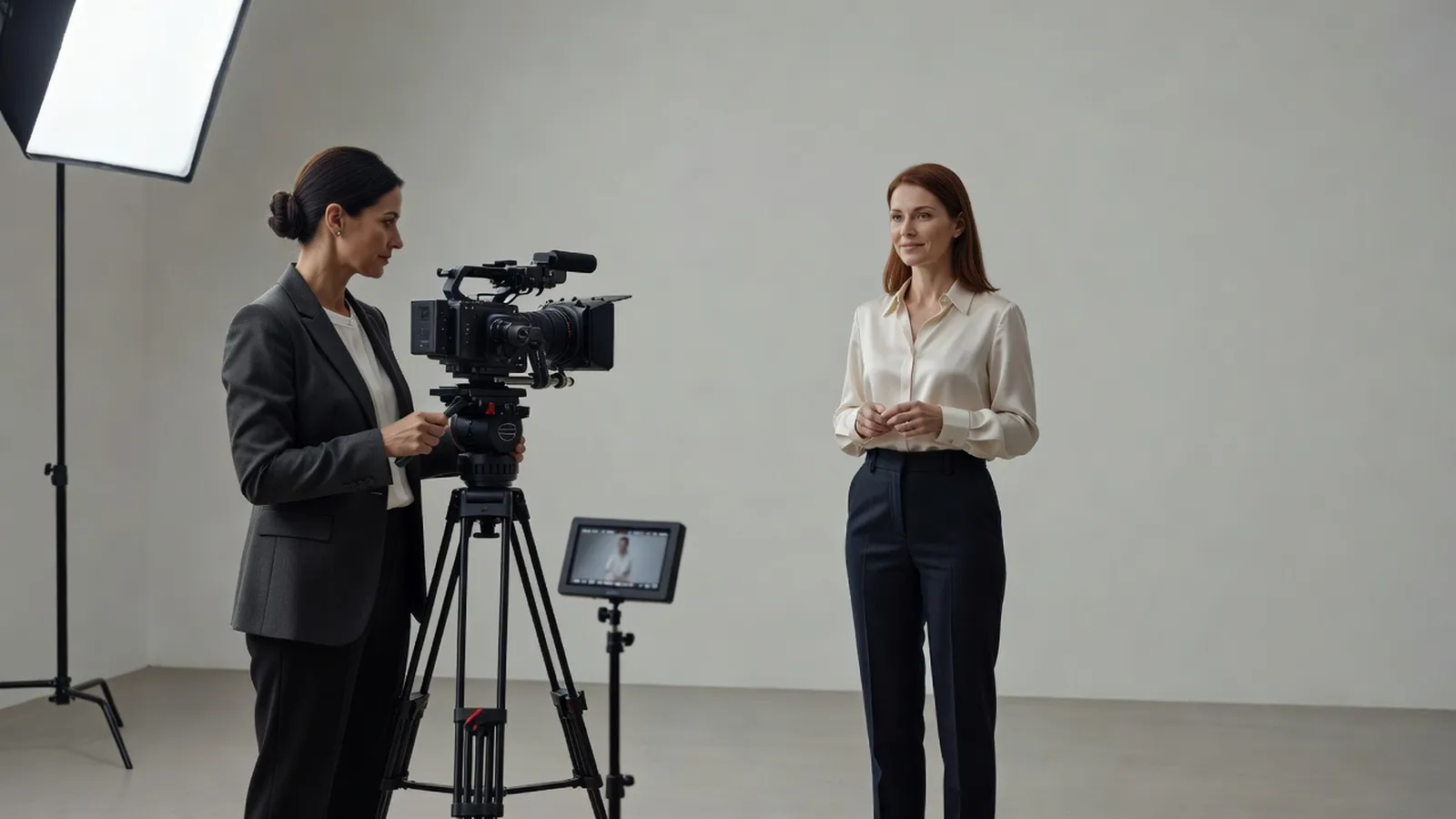
A successful web video answers three questions before the first shoot: who will watch it, where, and to decide what. Everything else follows from those answers: the format, the length, the framing, the page that hosts it, the captions, the way it gets found and the way its results are read. This guide follows a video from idea to distribution from the production side, for a Canadian organization that communicates in English, in French or in both.
Choose a format before you choose a camera
The word "video" covers very different objects. A thirty-second demonstration on a product page, an interview-style testimonial, a teaching clip, an excerpt from a conference or a message from leadership to staff are not prepared the same way. Naming the format first avoids the most common flaw: a shoot that gathers everything and suits nothing.
The table below summarizes the formats most common in web communication. Lengths are deliberately qualitative: they depend on the audience, the subject and where the video will be seen, and no universal rule holds up.
| Format | Main use | Target length | Watch point |
|---|---|---|---|
| Homepage video | Introduce the organization and orient the visitor | Short | Must make sense with the sound off |
| Demonstration | Show a product, a service or a gesture | Short to medium | A tight shot on the action matters more than the set |
| Testimonial | Give the floor to a client, a partner, an employee | Short to medium | Written consent and the witness's free expression |
| Explainer | Explain a concept or a process | Medium | One subject per clip |
| Interview or panel | Let an expertise be heard | Medium to long | The edit must keep the logic of the exchange |
| Event excerpt | Extend the life of a conference | Short | Rights to images and to music |
| Leadership message | Communicate internally or with partners | Short | Natural tone, no read text |
One piece of content can live in several forms. A long interview gives a full file for the organization's page, a few vertical excerpts for social feeds, and a transcript for the page text. That split is planned at the shoot: a video conceived from the start as several deliverables is filmed with breathing room, cutaways and framing that survives two aspect ratios. Platform-specific formats are covered in the Social media video pillar.
Produce for the place where the video will be seen
A video does not play the same role on a desktop computer, on a phone on the metro or in a newsletter. Three practical constraints weigh on production.
Sound is not guaranteed. MDN's documentation notes that modern browsers block autoplay for videos whose audio track is not muted. A video that starts by itself on a page therefore starts silent. If its message depends on speech, it needs burned-in captions or on-screen text from the first seconds.
Framing follows the screen. A wide shot designed for a desktop monitor loses its subject on a phone held upright. For a video with several uses, frame wide, keep the subject near the centre and leave air around it: later reframing stays possible without damaging the composition.
Weight is negotiated. The <video> tag accepts attributes that change the experience: the poster image shown before playback, deferred loading when the video sits far down the page, preloading limited to metadata. MDN notes that lazy loading improves performance in most typical cases, and recommends explicit width and height attributes to avoid layout shifts. A heavy video that slows down the rest of the page serves poorly the organization that commissioned it.
These choices are made in pre-production, alongside the shooting plan. The budget, rights and funding questions tied to them are described in the Budget, funding and rights pillar.
The watch page: the foundation of video SEO
Video SEO looks less like article SEO than people assume. Google must first find the video, then index it, then decide whether to show it. Its official video documentation describes these steps precisely, and most failures come from a technical detail rather than a content flaw.
A dedicated, indexed, visible page
Google distinguishes the watch page, whose main purpose is to show a video, from a page where the video is only a complement. A video landing page is a watch page; a blog post reviewing an embedded video is not. To be eligible for video features such as video results or key moments, the documentation recommends a dedicated watch page for each video, where that makes sense for the organization. Each page then carries a title and a description unique to that video.
The video must also be embedded with common HTML elements (<video>, <iframe>, <embed> or <object>), appear in the rendered HTML and not depend on a user action, such as a swipe or a click, to load. A video hidden behind another element is not eligible. A video placed behind a sign-in or a subscription needs paywalled-content markup so that Google can still find it.
A valid thumbnail, stable URLs
Without a valid thumbnail, there are no video features. Google accepts several image formats, including WebP, JPEG and PNG, with a very low minimum size and a preference for larger images. The thumbnail must stay at a stable URL: some delivery networks generate addresses that expire quickly, and a thumbnail that keeps changing prevents indexing. The same principle applies to the video file itself when you want animated previews and key moments: it must be reachable at a stable URL, and neither robots.txt nor a noindex rule should block the video bytes.
For the file, Google processes MP4, WebM and MOV among a longer list. The address of the file, the address of the player and the address of the watch page are three different things; mixing them up in the metadata is a frequent mistake.
Content worth reading around the video
A video is not a substitute for the text on the page. A clear title, a paragraph summarizing the subject, a transcript or time markers give Google, like the reader, something to understand what the video contains. The principles Google sets out for helpful, reliable, people-first content apply here as elsewhere: a watch page with only a player and a generic title adds nothing that the original platform does not already provide.
Structured data and video sitemaps
To make discovery easier, Google accepts three families of metadata: structured data, video sitemaps and the Open Graph protocol. None is mandatory, but they reduce ambiguity.
With VideoObject structured data, three properties are required: the name of the video, the thumbnail URL and the date of first publication. Recommended properties include the file URL, the player URL, the description, the duration, the creator and, if the video expires, the expiration date. The name and description must be unique for each video on the site, and consistent with what the video actually contains. Google specifies that adding markup does not guarantee that a particular feature will appear.
The video sitemap plays the same role at the scale of the site. For each watch page, it lists the videos the page contains with their thumbnail, title, description and the address of the file or of the player (at least one of the two). The description is limited to 2,048 characters and must match the one displayed on the page. HTML and Flash are not accepted video formats. A URL listed in the sitemap must not be blocked by robots.txt or require a login.
When several metadata sources coexist, the rule is simple: use the same thumbnail, the same title and the same description everywhere. A contradiction between the sitemap, the markup and the displayed page is the first thing checked when a video does not show up.
Third-party player or home page: composing both
Many organizations publish on a delivery platform and embed the player on their site. Google states that in this case the video may be indexed both on the organization's page and on the platform's equivalent page, and that both may appear in video features if the pages meet the indexing criteria. The documentation recommends providing markup anyway and, where appropriate, adding the pages to a video sitemap. To be eligible for more features, you need to confirm with the host that Google can fetch the video file.
In other words, the two logics do not compete. The platform brings an audience and simple playback; the home page brings editorial context, internal links and control over the address. If the video is distributed on a platform, the description on that platform also matters: Google says it prioritizes key moments set by the creator, either in structured data or in the video description on YouTube, and that the latter method is supported in every language where Google Search is available. The exact rules for writing time markers belong to the platform's own help pages, which are worth consulting before publishing.
Key moments, previews and controls
A video can appear in results with an animated preview of a few seconds or with key moments, meaning navigable segments like the chapters of a book. Google tries to detect them automatically, but the creator can indicate them.
Clipstructured data: you specify the start, the end and the label of each segment. It works in every language where Google Search is available.SeekToActionstructured data: you tell Google how time markers are written in the video's URL and it identifies the moments itself; English and French are among the supported languages.- Description on the platform: timestamps and labels in the description, when the video is hosted on YouTube.
Several settings also let you restrict or remove a video. The max-video-preview robots meta tag sets the maximum preview length, with the value 0 allowing only a still image. The nosnippet tag disables key moments entirely. To remove an outdated video, return a 404 on the watch page, add a noindex, or indicate an expiration date, taking care never to enter a past date by mistake for a video that is still available. A geographic restriction, for example limiting display to Canada, is declared with the regionsAllowed property or with the sitemap's restriction tag.
These settings belong to web development more than to production, but the director or the editorial team delivering a video should know they exist. It must be decided before publication whether a video is permanent, seasonal or tied to an event.
Media relations and speaking on camera
A communication video often puts a person on screen: a spokesperson, an executive, a specialist, an employee. Production work then extends to coaching, to message preparation and to managing the relationship with the media, who may pick up or quote the clip.
Prepare the message, not the script
The most useful preparation consists of formulating two or three clear ideas, each with an opening sentence and an example. Each idea is then tested aloud, with questions the person does not expect. Reading a script on screen almost always sounds false; notes in outline form, a pause before the answer and eyes directed to the lens or to the interviewer give more naturalness. In an interview, answering with a full sentence that restates the question allows a clean edit: an answer that starts with "yes, as I was saying" cannot be used on its own.
The setting of the interview
The set is chosen for what it says without speaking: a credible workplace beats a plain backdrop when the subject is tied to it. The lighting is set up before the person arrives, so that they do not spend ten minutes waiting in front of the camera. A monitor and a backup sound recording prevent most bad surprises. For a bilingual shoot, plan takes in each language rather than a late dub, which almost always betrays the naturalness of speech.
Consent and rights
Every person filmed gives clear consent to the intended use of their image and voice: where it will run, for how long, in which languages. A vague or verbal consent is not a solid basis when the video will have to be withdrawn or changed. The precise rules on image rights and copyright, standard clauses and the special cases of music are covered in the pillar on budget, funding and rights, which points to the official sources.
Video as a companion to the news release
For media relations, a video is prepared like a press kit: full version, short excerpts, transcribed quotes, captions, the contact person's details. Journalists ask for clean, captioned files with broadcast permissions. A kit that includes the transcript and cutaways free of rights is picked up more readily than a link to a player with no description.
Captions, transcripts and description: accessibility and reach
Captions are not a finishing touch. The W3C defines them as a text version of speech and of the non-speech audio information needed to understand the content, synchronized with the picture. It distinguishes two terms: captions for the same language as the audio, and subtitles for spoken audio translated into another language. The first answer an accessibility need; the second are not, by themselves, an accessibility measure.
In the Web Content Accessibility Guidelines (WCAG), captions for prerecorded content are required at Level A, and captions for live content at Level AA, when the audio carries information needed to understand the content. Mere background music with no speech does not require captions.
Three complements combine:
- Synchronized captions, built into the player or burned into the picture.
- The transcript, a text of everything said and heard. The W3C considers it useful for a wide range of needs and notes that a descriptive transcript, which also includes visual information, is needed for people who are both Deaf and blind.
- Description of visual information (audio description, described video), which explains what the picture shows when the soundtrack does not say it. In a training video it can be woven directly into what the speaker says: you simply name what you are showing.
On the technical side, the native player accepts a WebVTT caption file through the <track> element, as MDN notes. Files produced by speech recognition always need proofreading: proper names, technical terms and punctuation go wrong more often than expected, and a faulty caption hurts more than it helps.
In Canada, a bilingual site raises one more question: caption in the language of the speech, translate into the other, or shoot two versions. There is no single answer. A clip that explains a gesture translates easily through subtitles; an interview where tone and nuance matter is better shot in each language. In every case, the transcript published on the page should exist in the language of the page, and the French version of a site should not simply point to the English video, or the reverse.
Distribution and measurement
Distribution starts with the place where the video lives first: the watch page. The other channels follow: platform, social networks, newsletter, email signature, news release, the waiting room of an event. Each has its ideal format, its accompanying text and its thumbnail; pasting the same post everywhere tires the audience and muddies the measurement.
For paid distribution, the principle is to test with a modest spend before committing more, and to trust only results measured against the original goal. This guide does not cover advertising strategy or small-business marketing; it stops at production and formats. For the guide's articles, see the blog.
One goal, one metric, one decision
A video can only be measured if you said in advance what it is for. The table links a few common goals to what can be observed and to the decision the result informs.
| Goal | What you observe | Possible decision |
|---|---|---|
| Make an offer understood | Share of viewers who watch to the end, actions after playback | Shorten, move the video, rewrite the opening |
| Train or inform | Viewing completion, questions received afterwards | Split into clips, add time markers |
| Be found on Google | Indexed watch pages, appearances with the video label | Fix the metadata, the thumbnail, the URLs |
| Inform the media | Pickups of the excerpt, requests for files | Enrich the press kit, add the transcript |
| Reassure or testify | Visitors' path after playback | Place the testimonial closer to the decision |
Google's measurement tools for video
Google's documentation mentions three Search Console tools for monitoring watch pages: the video indexing report, which shows how many indexed watch pages contain an indexed video and why other videos were not indexed; the video rich result report, which flags markup problems; and the performance report, with the "Videos" search appearance filter. These are diagnostic instruments that complement, but do not replace, the statistics of the platform and of the site.
One simple fact has to be accepted: play counts are hard to interpret out of context. A comparison only makes sense between videos of the same format, the same length and the same destination, and an editorial decision rests better on three to five comparable videos than on a single result.
Work plan: from idea to publication
To sum up the journey, here is the order of work that avoids going back.
- Set the goal and the audience, with the metric and the place where it will be read.
- Choose the format and the language, including the caption approach.
- Write a shooting plan that provides for reframing, short excerpts and replacement material.
- Obtain consents and check rights, music and images included.
- Shoot with careful sound, then edit with captions from the first version.
- Prepare the watch page: clean title, description, stable thumbnail, transcript, markup.
- Publish, submit the sitemap, then check indexing with the Search Console reports.
- Adapt for each channel, with text and format suited to each.
- Measure against the goal, then decide what to keep, shorten or redo.
This plan applies to a single video as well as to a series. Corporate video production, its stages and its deliverables are detailed in the Corporate video pillar, and the technical side of shooting, animation and post-production in Animation, shooting and post-production. To learn who writes this guide and how its pages are checked, see the About page.
The Plan Séquence editorial team
Guides in this pillar
Video SEO in 2026: YouTube, Google and visual search: Titles, chapters, captions, thumbnails and structured data: how a video gets found on YouTube and Google in 2026.
Media relations: preparing to speak on camera: Key messages, tough questions, posture and on-screen presence: preparing a filmed interview with a journalist or for your own video.