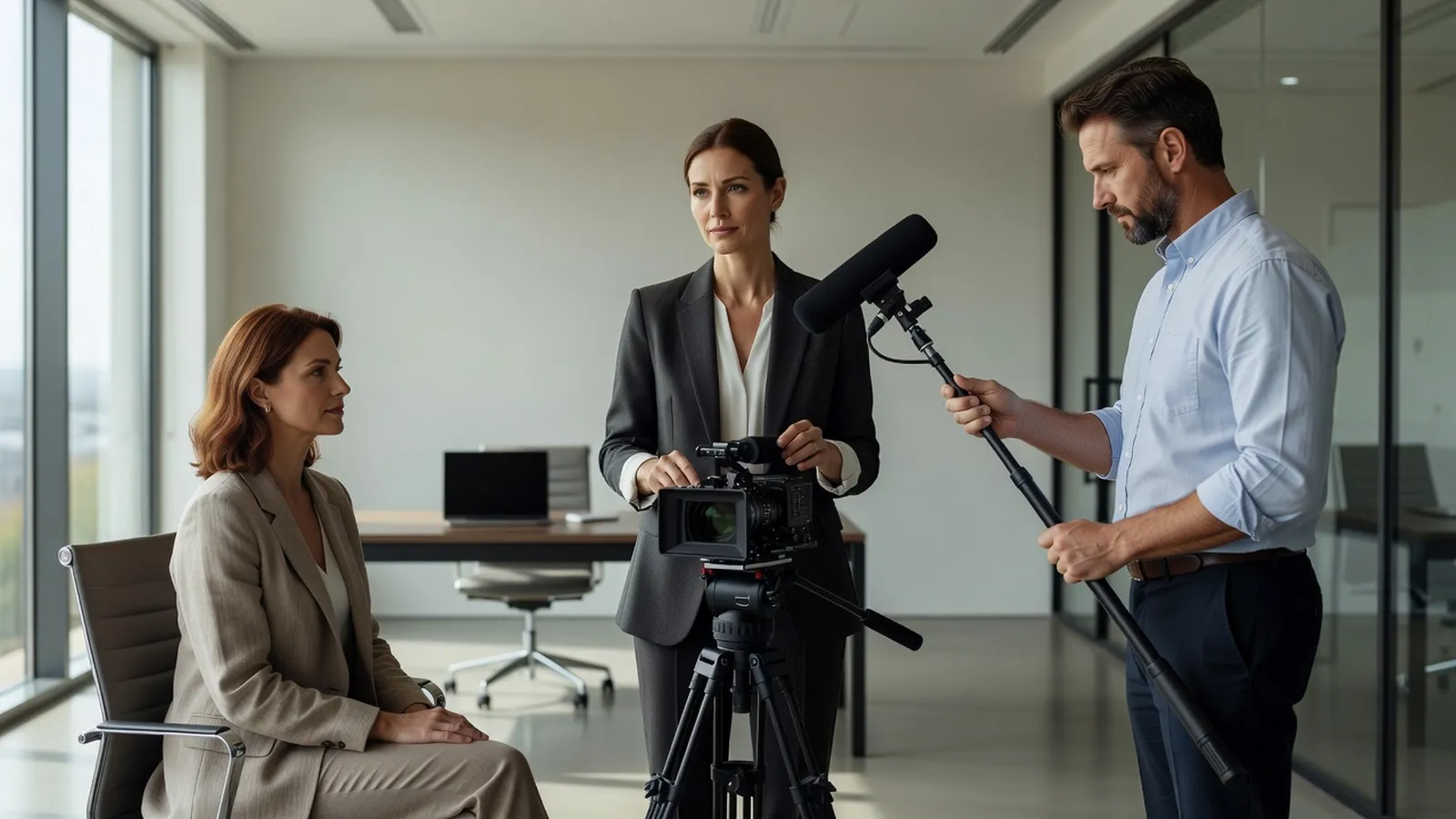
A corporate or institutional video presents an organization, trains teams or informs an audience, with a precise message and a distribution plan settled in advance. In Canada, it is planned for both official languages and with captions from the first draft of the script. This guide follows a project from start to finish: uses, brief, script, shoot, edit, delivery, distribution, accessibility, and French and English versions.
What corporate and institutional video covers
The expression is broad, and that is what makes it tricky. When a leadership team asks for "a video for the company," it may mean a three-minute presentation film, a training clip for new hires, or a message from the president to the community. Those are three different productions, with audiences, tones and distribution constraints that have little in common.
Two families are usually distinguished. Corporate video covers any content produced for an organization, whether private, public or non-profit: presentation, demonstration, training, internal communication, testimonial. Institutional video speaks for the whole organization: mission, values, the year in review, a message from leadership, a presentation to partners or institutions. In practice the two overlap, and the boundary matters less than the question that comes before everything else: who is being addressed, and to achieve what?
A well-framed project fits in one sentence: "This video must let this audience understand or do this thing, in this place of distribution." If that sentence cannot be written, it is too early to talk about cameras. The rest of this guide assumes the sentence exists and has been approved by the people who will sign off on the final version.
This guide does not sell production services and does not recommend any company. It describes the trade as it is practised, to help an organization write a better brief, compare proposals with confidence and avoid costly rework.
Four uses, four logics
The uses look alike on the surface (a person speaks, images illustrate), but they follow opposite logics. The table below compares them without figures, because orders of magnitude vary too much from one project to another to be honest without a quote.
| Use | Central question | Usual tone | Where it is shown | What weighs most in production |
|---|---|---|---|---|
| Presenting the organization | Why should we be trusted? | Calm, concrete, personal | Website, trade shows, partner meetings | Choosing the people on screen and the quality of supporting images |
| Training | What will the person be able to do afterwards? | Clear, progressive, repeatable | Internal platform, intranet, group sessions | The teaching script, the pacing, future updates |
| Internal communication | What should people remember and do now? | Direct, human, jargon-free | Internal email, meetings, collaboration tools | Speed of production and a plain format |
| Institutional information | What is the organization's position or offer? | Rigorous, verified, neutral | Official website, reports, media, public sessions | Content approval and accessibility |
Three remarks follow. First, training is the only category in which a video has to stay usable for a long time: if a procedure changes, one sequence must be replaceable without redoing everything. That is decided at the script stage, by splitting the content into short modules. Second, internal communication tolerates a simpler look, but not approximation on substance. Third, institutional information requires the most approvals, which lengthens the review phase: better to announce that in advance than to discover it in the edit.
For videos aimed mainly at online visibility, search and distribution, another pillar of the guide takes that on: web, marketing and communication video. Here the angle stays that of the organization producing for its own audiences.
Replacing the PDF with a video: when and why
Many corporate video projects start from a simple observation: a multi-page document that nobody reads in full. An onboarding procedure, a user guide, an internal policy, a service overview: the PDF exists, it is accurate, and it sits in a shared folder.
Video can carry content better in three situations. When a gesture has to be shown (using software, handling equipment), the image replaces ten paragraphs. When a connection has to be created (welcoming a new team, explaining a change), a person speaking on screen conveys a tone that text cannot. When a path has to be simplified (a multi-step process), animation and editing let viewers see the overall logic.
Conversely, the PDF remains better when readers have to look up a specific piece of information, compare it or quote it. A reference table, a list of regulatory requirements or a form is better left as text. Replacing that kind of content with a video means losing keyword search, copying and printing.
The best approach is often a hybrid: a short video presenting the essentials, accompanied by the document for the detail, with an accessible transcript. That combination respects both ways of learning and settles the accessibility question in one move, covered below. The Plan Séquence blog will publish more detailed articles on this choice.
A practical test: ask three people who are supposed to use the document to say what they retain after reading it. If they retain little, or different things, a video has a real reason to exist. If they easily find the information they need, a better-structured PDF may be enough.
How a project unfolds, step by step
A production breaks down into six steps. The order is stable from one project to the next, even if their weight varies. Durations are not quantified here: they depend on the number of people to film, the locations, the number of approvals and the availability of teams. For orders of magnitude, ask each provider you consult for a written estimate.
The brief: write down what you want before talking about images
The brief is the document that gathers the objective, the audience, the main message, the tone, the constraints (locations, confidentiality, schedule) and the places of distribution. It also states who approves at each step and how many rounds of revision are planned.
A good brief fits on one or two pages. It contains the following:
- the objective in one sentence, measurable if possible (understand a procedure, know an offer, support a decision);
- the primary and secondary audiences, with their language and familiarity with the subject;
- the message to remember, a single one;
- the places and formats of distribution (website, meeting, internal platform, social media);
- the expected language versions;
- the accessibility requirements (captions, transcript, description);
- the people who approve, and in what order;
- what you do not want to see or hear.
Without this document, each person involved imagines a different film. It is the most frequent cause of late rework, and the most avoidable.
The script: from idea to approved text
The script turns the brief into sequences: what is said, what is shown, in what order and at what pace. For a training video, it is a full text, sometimes with dialogue. For an interview, it is a set of questions with a list of supporting visuals. For an animation, it is a script followed by a drawn storyboard.
This is where the split into modules, the place of captions and, where relevant, the description of important visual elements are decided. The W3C resources on media accessibility say it plainly: some choices, such as description built into the narration, are planned before the shoot, because they are simpler and more effective in the script than added afterwards.
Script approval is the moment when decision makers read everything, and the last one at which a change costs almost nothing. After the shoot, changing a sentence may mean going back on location.
The shoot: preparation does half the work
The shoot covers location scouting, the shooting plan, picture and sound capture. On a corporate video, sound is often the underestimated element: an interview recorded in an open-plan office with ventilation noise or echo takes more correction time than an imperfect shot.
A few simple habits save time on the day:
- visit the locations in advance, at the same time of day as the shoot, to check light, noise and power outlets;
- prepare the people being filmed: explain the subject, the questions, the length and the intended use of their image;
- arrange filming permissions for the premises (building, neighbours, security);
- build in reserve time: a shooting day almost always runs long.
The length of a shoot, from a few hours to several days, depends on the number of locations and people, not on the final length of the video. A two-minute video can take several days if it brings together several sites.
The edit: assemble, correct, approve
Editing assembles the takes, adjusts the pacing, adds titles, music and graphics, then sets sound and colour. It usually happens in three stages: a first assembly (the "rough cut"), a working version with the substantive corrections, then a final version with sound and picture finished.
To keep approvals efficient, it is better to limit the number of people who comment, to gather comments in a single document per round, and to separate substantive corrections (the message, the order) from cosmetic ones (a title, a transition). The first kind is handled at the rough cut; the second, at the working version. Asking for a substantive change on the final version amounts to redoing part of the edit.
Music and borrowed elements (archive footage, clips, fonts) need particular care: their use must be authorized in writing for the real context of distribution. The pillar on budget, funding and rights returns to these questions.
Delivery: what is handed over, and in what form
Delivery is the step most often forgotten in the brief, and the one that causes the most misunderstandings. Agree in advance on what is handed over:
- the main file, in a format suited to the place of distribution;
- derived versions (vertical or square format for social media, a short cut, a version without text);
- caption files, which should be delivered separately as well as built in if the brief asks for it;
- the transcript;
- the language versions;
- working elements useful for a future update (edit project, graphics, music and its licence), if the contract includes them.
A management tip: keep the original files and the final version in the organization's own storage, together with the signed contracts and permissions. In three years, when a sequence has to be changed, these items will save a restart from scratch.
Distribution: choosing where the video will live
A video has no value if nobody sees it in the right place. Distribution is planned in the brief, because it determines format, length and style. A video projected in a room is not built like a clip viewed on a phone, at the office, with the sound off.
Common places of distribution for a corporate video are the organization's website, an internal platform, social media, newsletters, meetings and trade shows. Each has its own technical requirements and viewing habits. For short vertical formats, the social media video pillar details what changes at the shooting stage. When choosing a host, favour a platform that lets you turn on captions and control who can access the video.
Accessibility and captions: plan from the start
Accessibility is not a step added at the end. It is a set of choices that affect writing, shooting and delivery. The resources published by the W3C Web Accessibility Initiative summarize the issue well: making audio and video media accessible involves captions, a transcript, description of visual information and a media player that supports these features.
Captions. The W3C uses "captions" for same-language text that conveys the audio content (dialogue and sounds needed for understanding) and "subtitles" for speech translated into another language. According to that resource, same-language captions are an accessibility measure, whereas translated subtitles are not, by themselves, an accessibility accommodation. The distinction matters in Canada: captioning in English a video spoken in English is an accessibility measure, whereas subtitling in French a video spoken in English is a measure of reach. Both are useful, but neither replaces the other.
In the WCAG guidelines, providing captions for all prerecorded audio content is a Level A requirement, and captions for live content, Level AA. The detail of that criterion is set out in the explanatory document for criterion 1.2.2.
Automatic captions are not enough. The same resource is categorical: captions produced by speech recognition do not meet user needs or accessibility requirements unless they are confirmed to be fully accurate, and they usually need significant editing. An error on a single word (a missing "not," for example) can reverse the meaning of an instruction. In a training or safety video, that becomes a real risk. Planning for a human review, or entrusting the captions to someone who does this for a living, is a reasonable expense.
The transcript. The W3C recommends, ideally, providing both captions and a separate transcript. A transcript serves people who prefer to read and those who use braille devices, and it makes the content easier to search. Captions and a transcript contain the same text: one can be used to produce the other.
Description of visual information. When a video shows information needed for understanding (a chart, a software screen, displayed text), it has to be described for people who cannot see the picture. The W3C presents several approaches: description built into the narration, a second version of the video with description, or a separate file. For a training video, description woven into the commentary is often the most natural solution: the presenter says what they are doing instead of saying "as you can see here." That choice is written into the script.
The Canadian framework. The Accessible Canada Act defines a barrier as anything that hinders the full and equal participation in society of persons with an impairment, including anything based on information or communications. The precise obligations depend on the type of organization (federally regulated bodies, the public sector, other provincial frameworks), and each organization has to check the ones that apply to it. In every case, designing the video to be accessible from the start reduces the risk of redoing the work.
The W3C's resource on planning accessible media adds a management tip: decide at the outset what will be done in house and what will be outsourced, according to budget and schedule. The planning page offers checklists by type of content, which are useful to build into the brief.
French and English versions in Canada
For an organization that speaks to both language communities, the question is not "if" but "how": one video, two languages, and what architecture? Four common approaches compare as follows.
| Approach | Principle | Main advantage | Main limit |
|---|---|---|---|
| Subtitles in the other language | One video, FR and EN subtitles | One shoot, one voice | Reading required, less comfortable for long content |
| Dubbing | Voices replaced by a version in the other language | Natural listening experience | Synchronization, voice selection, sound direction work |
| Two shoots | One version per language, with different people | Natural feel, fine cultural adaptation | More shooting, more coordination |
| Single bilingual version | People speak one language or the other | Reflects the reality of a bilingual setting | Calls for more careful writing and editing |
The right choice depends on the audience, how often the content will be updated and the place of speech in the video. A training clip with a lot of text often benefits from being dubbed or shot twice. A message from leadership aimed at everyone can stay in a single language with quality subtitles, provided the other community does not feel sidelined.
Three practical principles:
- Write for two languages from the script. A short sentence in French can become longer in English, and the reverse. On-screen text, a title or an inserted figure must be planned so that it can be replaced in the other version without redoing the edit.
- Adapt, do not translate word for word. Cultural references, expressions, examples and level of language change from one community to another. A successful French version is not a translation of the English one: it is an adaptation made by someone who knows the target audience. Canadian French, like Canadian English, has its own usages.
- Have native speakers review. Subtitles and on-screen text are the first places where an error shows. A review by a French or English speaker who does not know the project catches what the team no longer sees.
Synthetic voices and assisted dubbing are covered in the pillar on AI and video in Canada, which presents the possibilities, the limits and the legal framework of these techniques. For posting in both languages on social networks, see also the social media video pillar.
Rights, consents and contracts
A corporate video draws on rights that are easy to forget: copyright in the work, rights in the music and images, and the consent of the people filmed. This section does not replace the advice of a lawyer; it indicates the points to settle in writing before the shoot.
Copyright. Section 13 of the Copyright Act provides that the author of a work is the first owner of the copyright. The text includes a rule for employed authors: the employer is the first owner of the copyright in a work made in the course of employment, in the absence of any agreement to the contrary. It also states that an assignment or a licence is valid only if it is in writing and signed by the owner. Practical consequence: if the video is entrusted to an outside provider, it is the contract that must say what the organization can do with the video (where, on what media, for how long, with what changes). The subject is subtler than it looks, and legal advice is recommended.
The people filmed. Employees, clients and partners who appear on screen must know why they are being filmed and where the video will be shown. The principles of Canada's privacy legislation, presented by the Office of the Privacy Commissioner, offer good reference points: purposes must be identified before or at the time of collection, consent is required, use is limited to the stated purposes, and retention should not go beyond what is necessary. Depending on the context, notably in Quebec, other rules apply as well. A clear permission form, written in the person's language, settles most of it.
Borrowed elements. Music, archive footage, fonts, clips, third-party logos: each element has its own conditions. Music that is "available online" is not necessarily free of rights. The safest approach is to ask, for each element, for written proof of permission and the licence that matches the intended use. The pillar on budget, funding and rights gathers the official sources on these questions.
One last habit: keep the approved brief, the accepted quote, the contract, the permissions and the licences in a single folder. In the event of a dispute or an update, that folder is the project's memory.
Questions to ask before commissioning or producing
When a project starts, these questions help confirm that nothing essential has been forgotten:
- What sentence sums up the objective of the video, and who approved it?
- Who will watch it, in which language, on which device, with or without sound?
- Is a video really the best answer, or would structured text be enough?
- Which versions and formats will be delivered, and which will be ready to update?
- Who approves at each step, and how many rounds of revision are planned?
- Will the captions be reviewed by a person, and is the transcript included in the delivery?
- Which people will be filmed, and have they been told about the intended use?
- Which borrowed elements appear, and does the licence cover the real use?
- Where will the files be kept, and for how long?
- What happens if some content changes in a year?
If several of these questions remain unanswered, the project is not ready. It is better to spend one more meeting than to discover the gaps in the edit.
The most common mistakes
Productions that go off the rails resemble each other. The same causes appear almost every time:
- A vague brief. "A dynamic, modern video" says nothing. Each stakeholder sees something different.
- Too many messages in one video. A video that wants to say everything makes nothing memorable. Several short clips beat one long film.
- Late approval. Decision makers read the script at the last minute, or not at all, and discover in the edit what they should have corrected earlier.
- Captions handled last. Added at the last minute, they are rarely reviewed, and the errors jump out.
- Neglected sound. A decent picture with poor sound makes a video painful to watch.
- No version planned in the other language. Adding English or French afterwards means redoing part of the edit.
- Unspecified rights. At the moment of reusing the video, you find the music was cleared for a single use only.
- No update plan. A training video that was not designed in modules quickly becomes obsolete.
Avoiding these traps does not require extra budget, only method.
Going further
This pillar sets out the general framework. The Plan Séquence blog will publish more precise articles on how a shoot unfolds, corporate video by use, and replacing a PDF with a video. The editorial project and its method are presented on the About page, including how sources are chosen and checked.
The other pillars of the guide go deeper into neighbouring angles: the technical side with animation, shooting and post-production, the legal framework for AI with AI and video in Canada, and distribution with web, marketing and communication video.
The Plan Séquence editorial team
Guides in this pillar
Interview: a producer walks through a shoot, from brief to delivery: A producer imagined for this guide details each stage of a shoot: brief, quote, location scouting, filming, editing and delivery.
Corporate video: presenting, training and informing (2026 guide): Presentation, internal training, information: choosing the right corporate video format, content, length and distribution in 2026 in Canada.
Replacing a PDF with a video: when, how and at what cost: Is an explainer video better than a PDF document? Selection criteria, production steps and the effort to plan for.